Early Access
Dive Exporter is available on the App Store. This page is for testers who want early access to pre-release builds via TestFlight — try new features before they ship and help shape the app. It walks you through the invitation, installation, and feedback process.
Invitation
The beta is distributed via TestFlight, Apple's official testing platform. Testers are manually added by invitation.
- Provide your Apple Account email — Send the email address associated with your Apple Account to hello@diveexporter.app so we can add you to the tester list.
- Wait for the invitation — Once added, you will receive a notification from Apple via email with instructions to get started.
Installation
- Install TestFlight — Download TestFlight from the App Store if you don't have it already. It's Apple's official tool for beta testing apps.
- Sign in — Open TestFlight and make sure you're logged in with the same Apple Account you provided for the invitation.
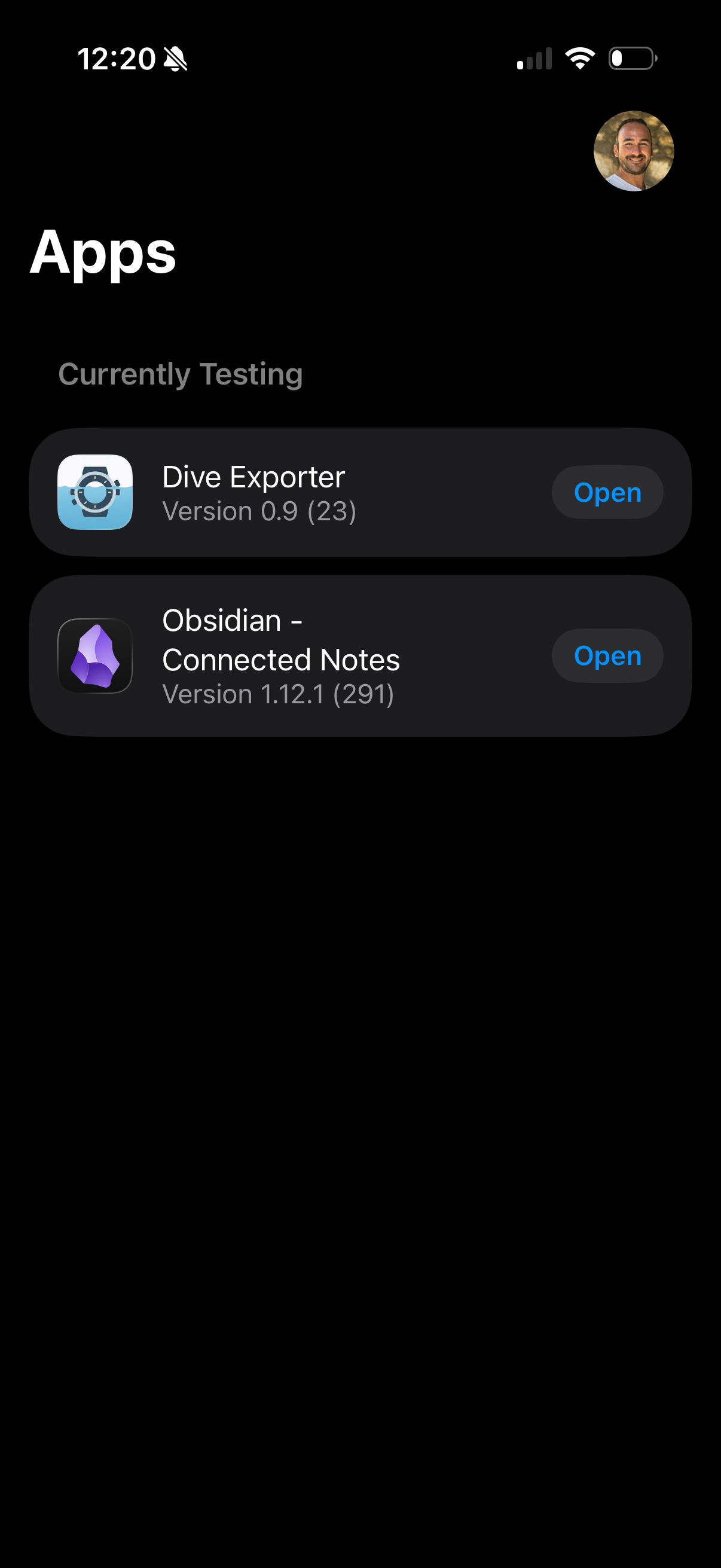
- Install the app — You will find Dive Exporter listed under "Currently Testing". Tap Install to download it.
- Ready to go — The app will appear on your home screen like any other installed app. Open it and start diving in!
Testing & Feedback
Use the app as you normally would. If you encounter any issues, have suggestions, or want to share feedback, you have three options:
Option A — Feedback with Screenshot
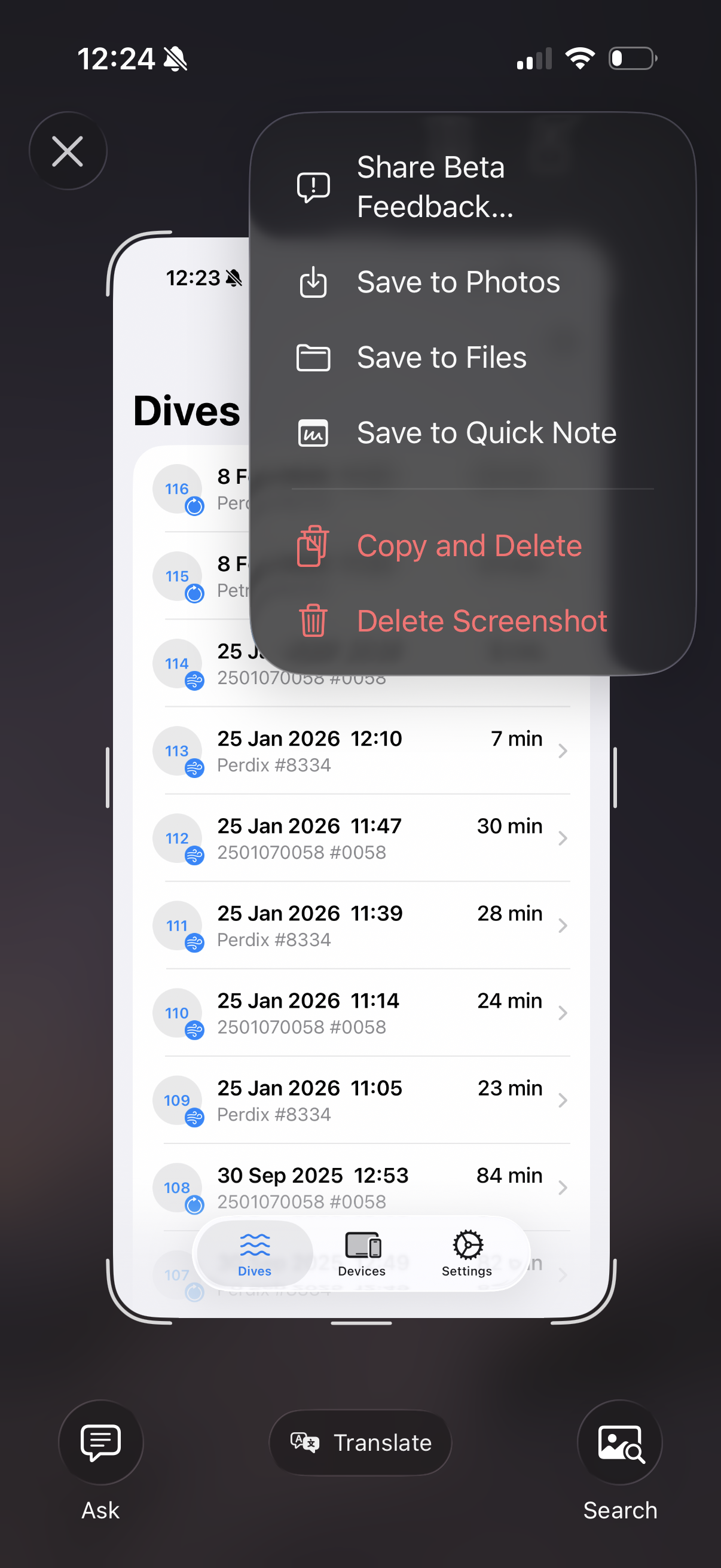
Take a screenshot while using the app. A "Share Beta Feedback…" option will appear. Tap it, attach the screenshot, add your comments, and submit.
Option B — Feedback from the Home Screen
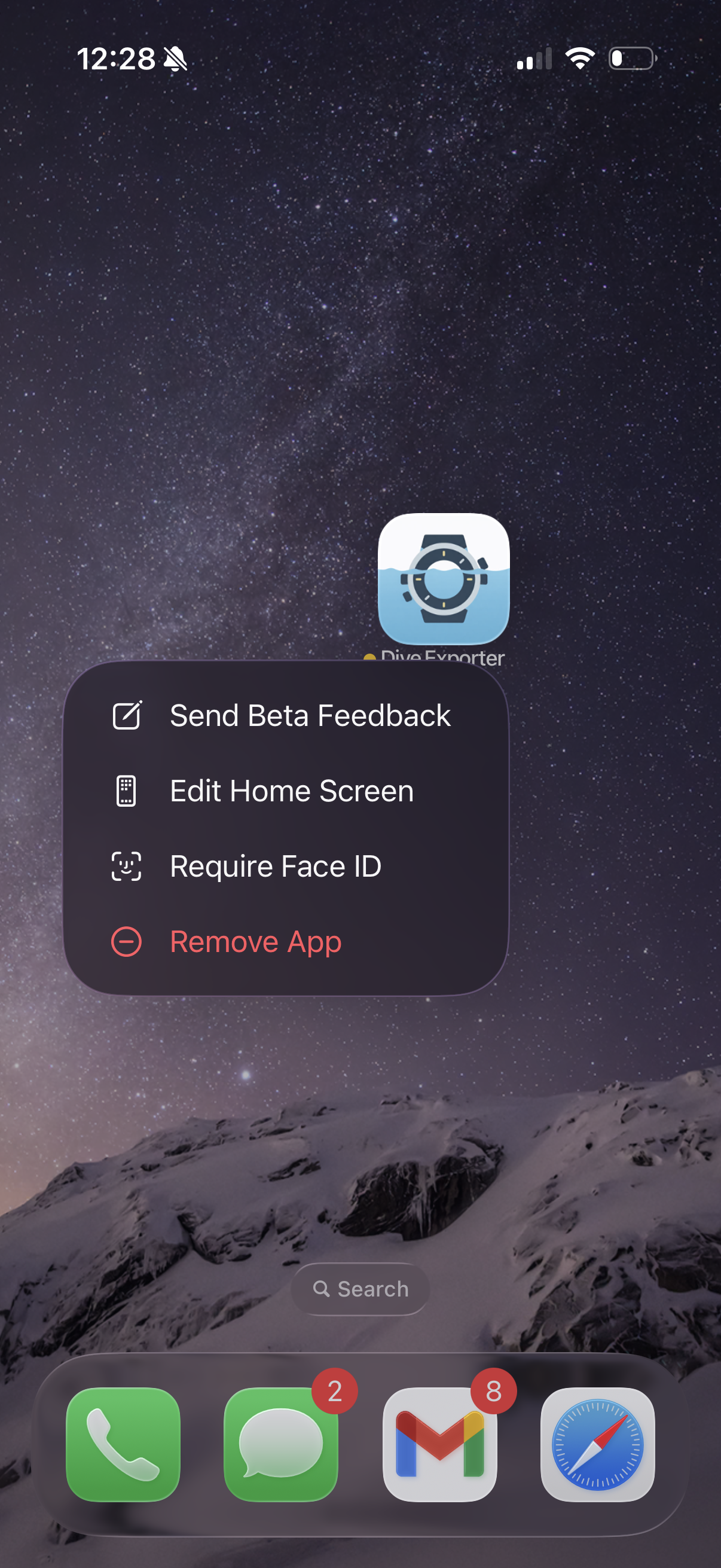
Long-press the Dive Exporter icon on your home screen until the contextual menu appears, then select "Send Beta Feedback".
Option C — Send an Email
If you prefer, you can send your feedback directly via email to hello@diveexporter.app. Feel free to include screenshots or a description of the issue.