Supported Devices
Dive Exporter works exclusively with dive computers that support Bluetooth Low Energy (BLE). Devices that require a serial cable, USB, or infrared connection are not supported.
The app is compatible with over 100 BLE-enabled dive computers from major manufacturers including Shearwater, Halcyon, Mares, Seac, Suunto, and others, through the libdivecomputer library.
Checking In-App
To view the full list of supported devices, go to Settings > Supported Devices.
By default, the list shows only BLE-enabled devices — all of which are compatible with Dive Exporter.
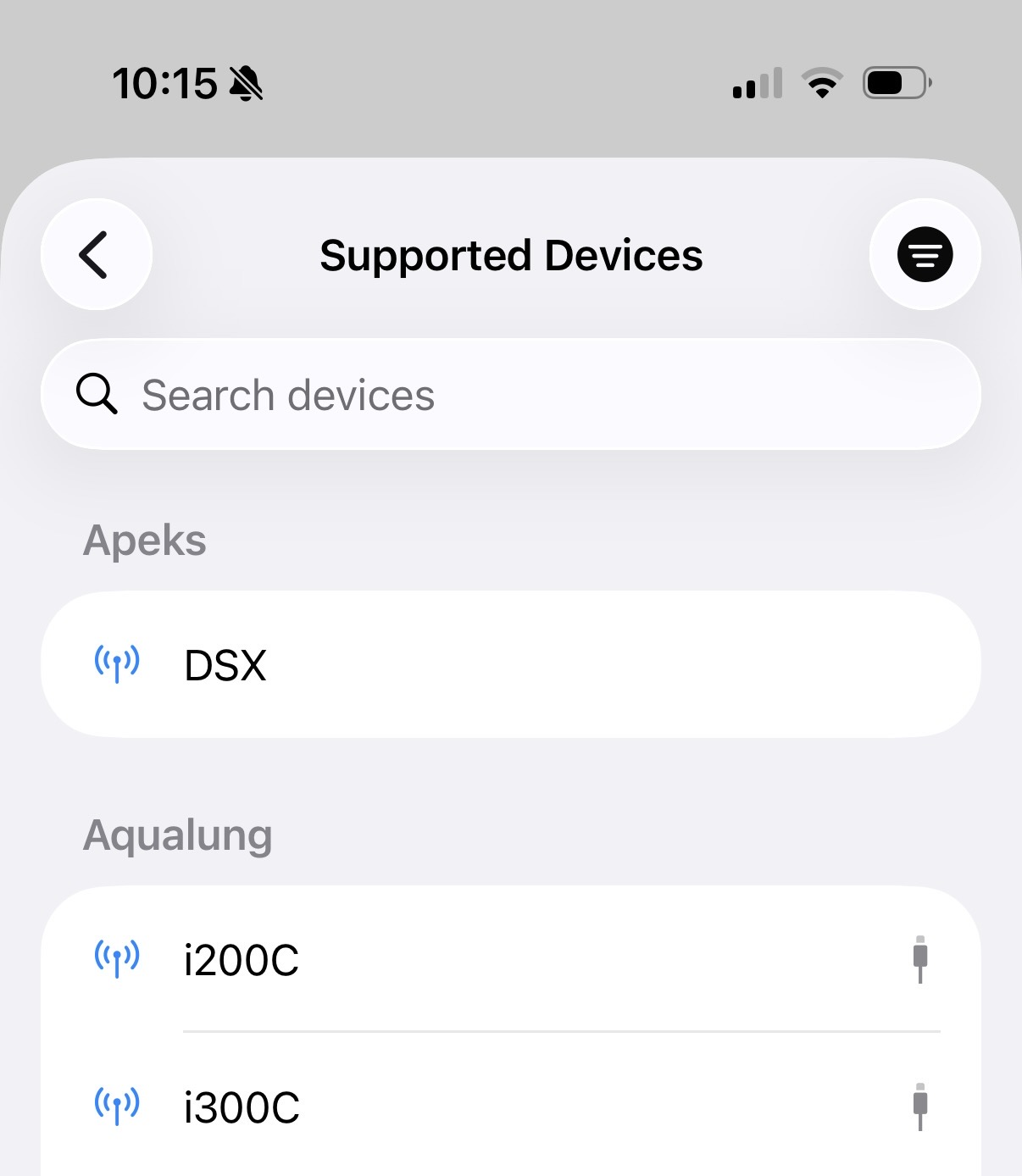
Filtering
Tap the filter icon in the top-right corner to switch between two views:
- BLE Only (default) — Show all devices with Bluetooth Low Energy support
- All Transports — Show every known device, including those that use serial, USB, or infrared connections and are not compatible
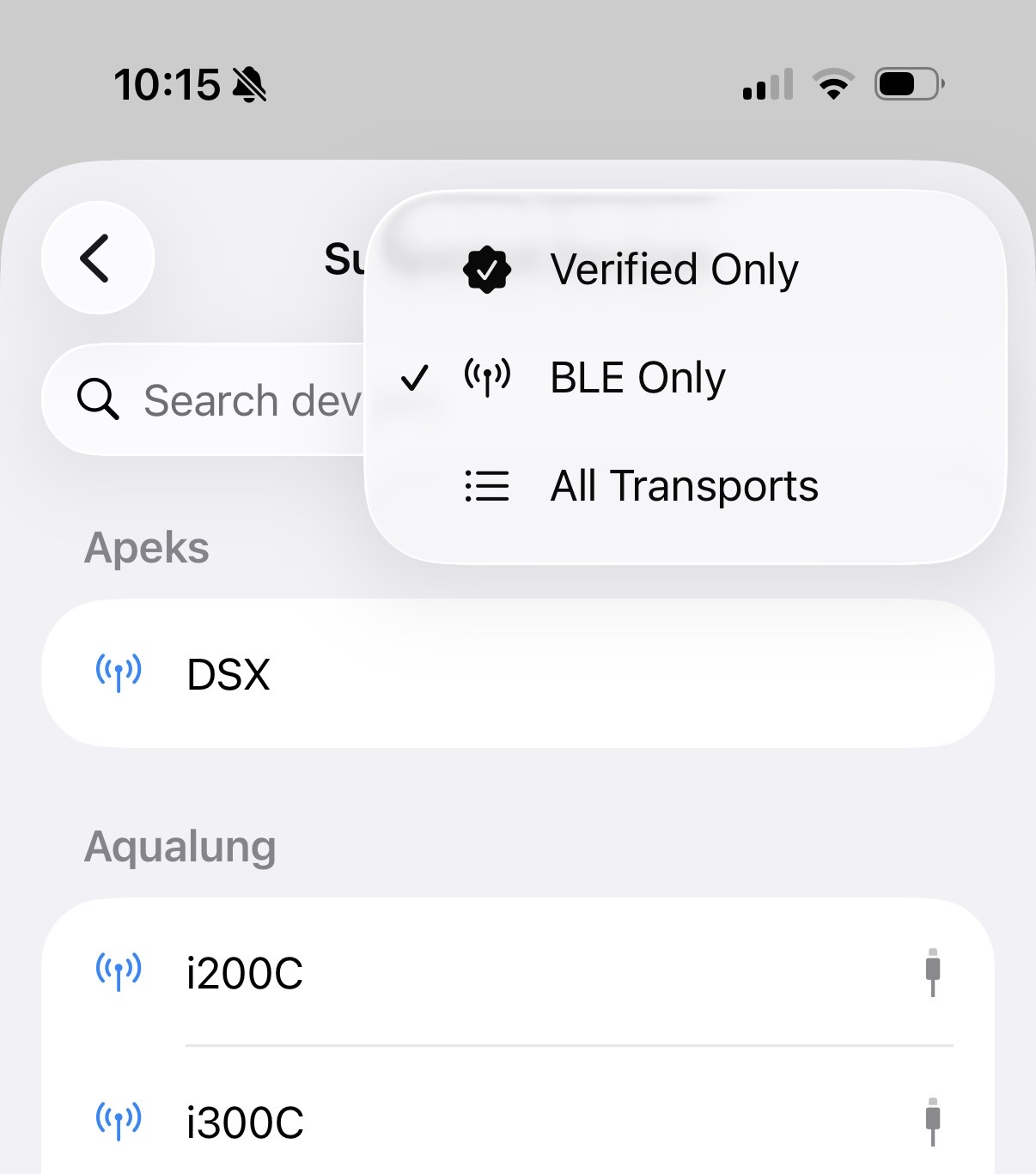
Searching
Use the search bar to find a specific device by product name or manufacturer. When searching, filters are ignored and all known devices are shown in the results.
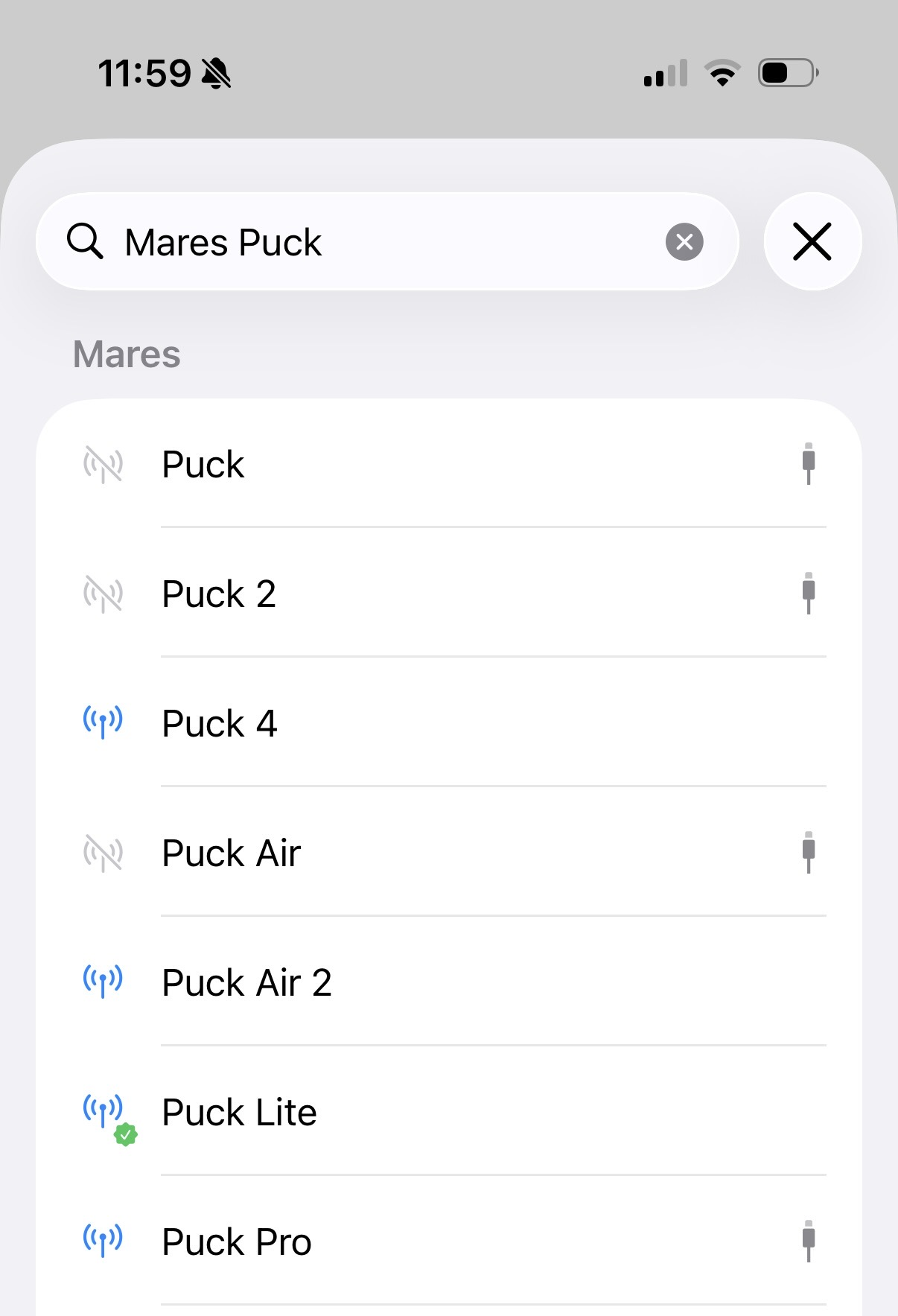
Device States
Each device in the list is displayed with an icon that indicates its compatibility:
- Gray icon — Not compatible. The device does not support BLE and cannot be used with Dive Exporter.
- Blue icon — Compatible. The device supports BLE and should work with Dive Exporter. If you use one of these devices, please report your experience to help us improve support.
Reporting Compatibility
If you’ve used Dive Exporter with your dive computer, whether it worked or not, or if you don’t see your device in the list, please contact us at hello@diveexporter.app. Your feedback helps us expand and improve device support.