Exporting Dives
Dive Exporter exports your dives in UDDF (Universal Dive Data Format) version 3.2.1, an industry-standard XML format compatible with most dive logging software such as Subsurface and MacDive, or online with UDDF Dive Viewer.
Exporting a Single Dive
- Open the dive you want to export from the Dives tab
- Tap the share icon (square with an upward arrow) in the top-right corner
- The dive is exported as a UDDF file and the system share sheet opens
The exported file is named using the format Dive_YYYY-MM-DD_[fingerprint].uddf.
Exporting Multiple Dives
You can export several dives at once into a single UDDF file:
- Go to the Dives tab
- Tap Select in the top-left corner
- Tap to check each dive you want to include, or tap Select All
- Tap the share icon in the toolbar at the bottom of the screen
Deselect All clears your choice, and Done leaves selection mode. The trash icon next to the share icon deletes the dives you checked.
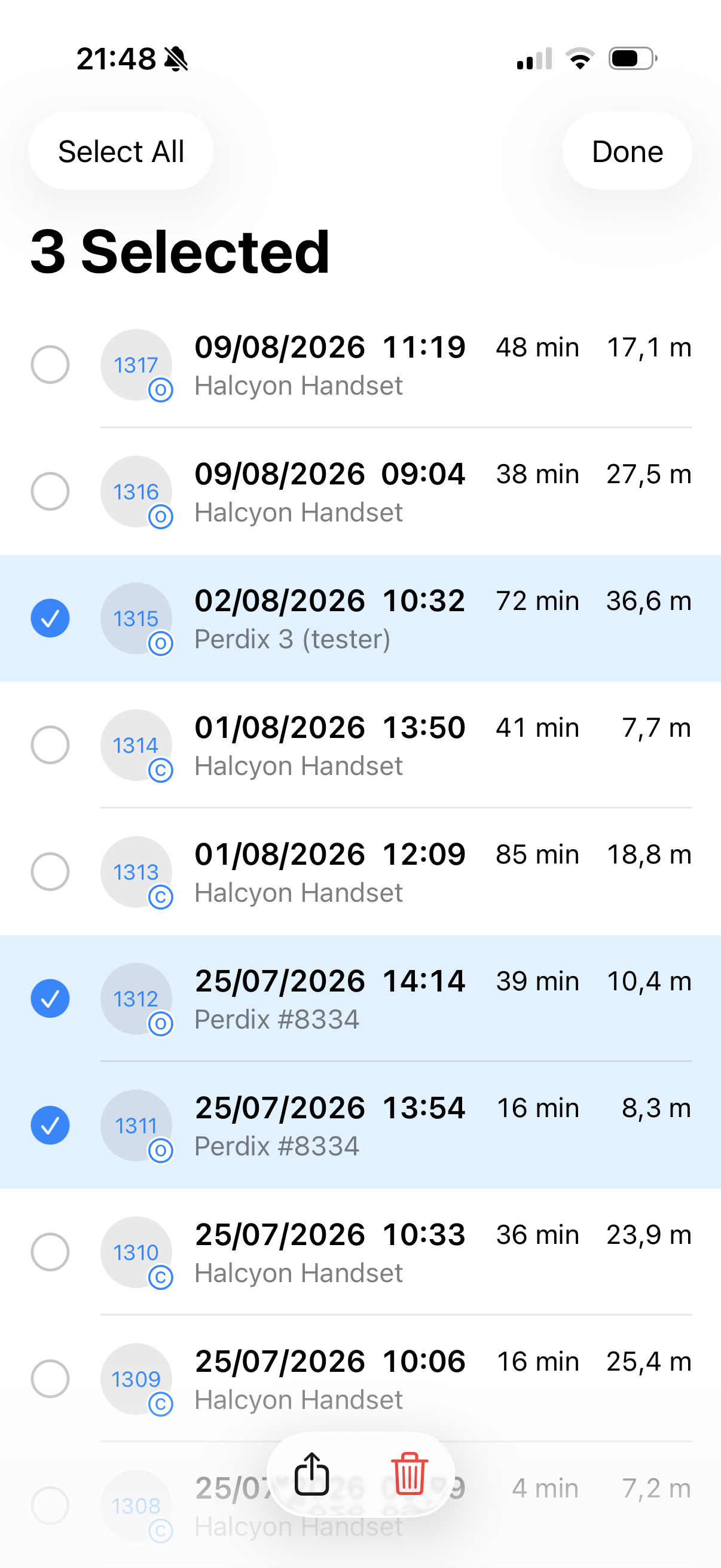
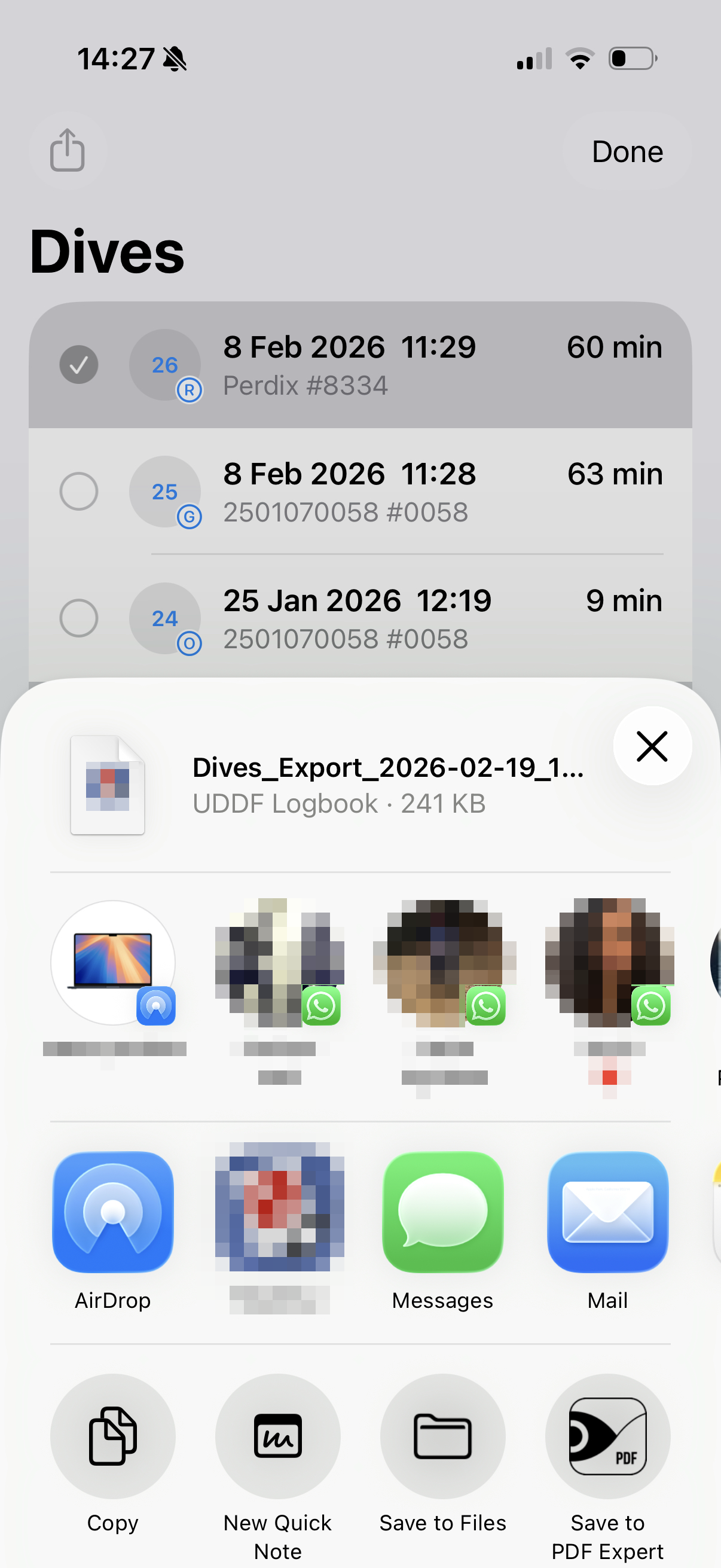
The exported file is named Dives_Export_YYYY-MM-DD_HHMMSS.uddf. The system share sheet opens with the UDDF file ready to share. See Sharing Dives for details on the available options.
What’s Included
The UDDF export contains all the data recorded for each dive:
- Complete dive profile with all samples
- All recorded events
- Gas mixes and tank data
- Water type and salinity
- Decompression model settings
- Device details (manufacturer, model, serial number)
- Surface conditions (temperature, pressure, GPS location)
- CNS, PPO2, temperatures, and pressures
You can view your exported UDDF files online at Dive Viewer. It provides interactive dive profiles, advanced charts, deco overlays, and dive coordinates — all from your browser, with no software to install.